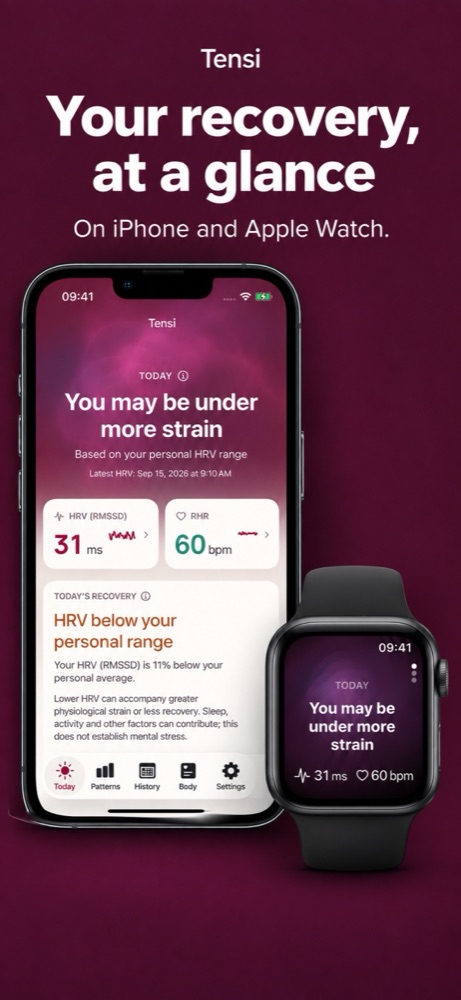
Tensi correlates your calendar, places, weather and body signals — HRV, sleep, heart rate — analysed on your iPhone and Apple Watch. We run no servers and never receive your data.
Analysed on-deviceNo account requiredNo ads, no trackersWorks with Apple Watch
Features
Everything, quietly connected.
Tensi doesn't just show your numbers — it notices what they have in common with the rest of your life.
Today
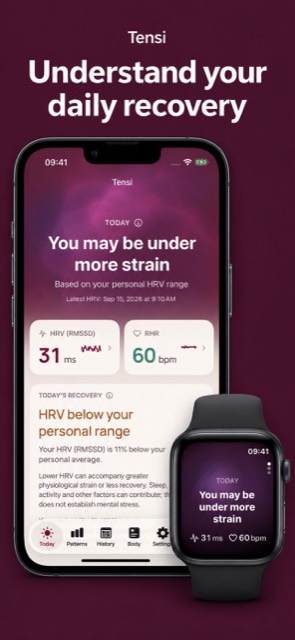
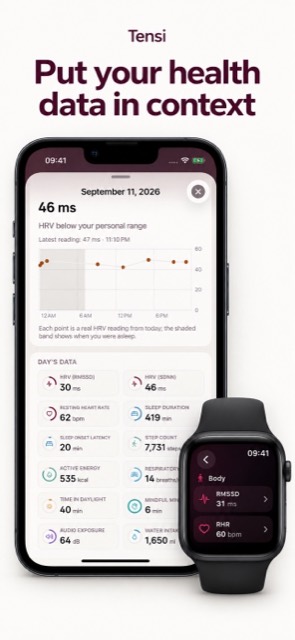
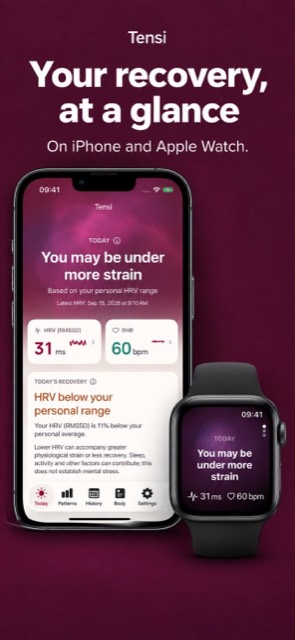
Your vitals at a glance — HRV, resting heart rate and an overall sense of how today is going, the moment you open the app.
Patterns
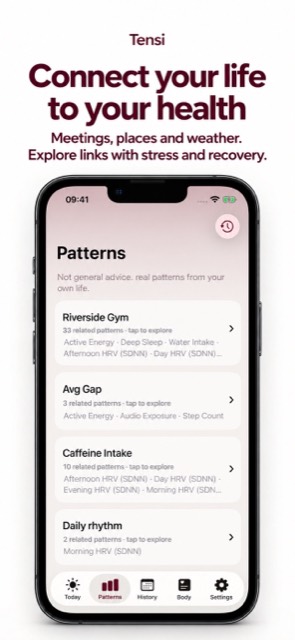
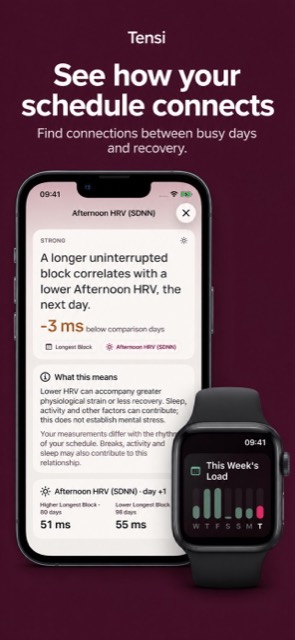
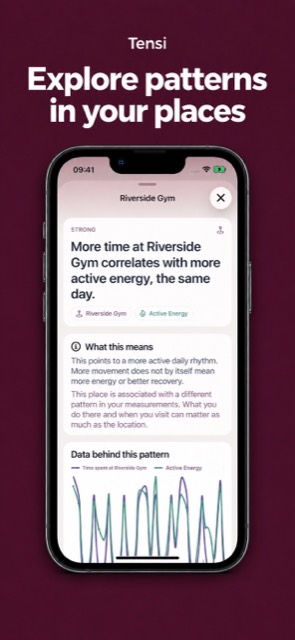
Tensi looks for real correlations — back-to-back meetings, a rainy week, a recurring place — against how your body actually responded.
Body
Sleep, activity, respiratory rate, cardio fitness and more, organized into one clear picture instead of scattered Health tiles.
Recovery & Calendar
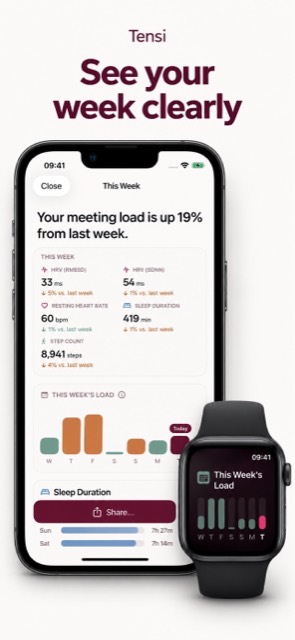
A day-by-day recovery calendar so you can see, at a glance, which stretches asked the most of you — and which let you recharge.
Weekly Report
A short, honest summary of the week — trends worth knowing about, delivered without the noise of a full dashboard.
Built for Apple Watch
A native watchOS companion with its own widgets and complications, so today's HRV trend is always one glance away.
Privacy
Private by design, not by policy.
Tensi was built with a simple rule: your health, location and calendar data never leave your device. Not to us, not to anyone.
Everything is processed on-deviceCorrelations are computed right on your iPhone. Nothing is uploaded to a server — because we don't run one.
No account, everThere's nothing to sign up for and nothing tied to your identity. Tensi doesn't know who you are.
Calendar: counts onlyTensi reads meeting counts and durations to spot busy stretches. Titles, notes and attendee names are never read.
Location: never an addressRecurring places are noticed on your iPhone to find patterns. Coordinates go only to Apple's own weather and place-name services, never to us.
No ads, no analytics, no trackersTensi has no advertising SDK, no analytics SDK, and no third-party code of any kind watching what you do.
Not a medical deviceTensi surfaces patterns for your own awareness. It doesn't diagnose or treat anything, and isn't a substitute for medical advice.
Auto-renewable subscription, managed through your Apple ID. Cancel anytime in Settings.
FAQ
Questions, answered.
What does Tensi actually do?
Tensi looks for real correlations between your life — meetings, recurring places, weather — and your body's own signals, like HRV, sleep and resting heart rate. Instead of just showing you charts, it tells you which parts of your day actually line up with how you felt.
How does Tensi actually calculate a pattern?
For each pair — say, meeting load and HRV — Tensi compares the days a condition was present against the days it wasn't, and checks whether the difference is both large enough to matter and consistent enough to trust. It needs roughly 10 or more matching days before it will surface anything at all, and only shows the handful of strongest, most reliable findings — never every coincidence that happens to clear a low bar.
What do the STRONG / MODERATE / WEAK labels mean?
They summarize how reliable a finding is, based on how large the difference is and how consistent it's been across your own data — not a single unusual day. STRONG means a large, consistent effect. MODERATE means a real but smaller one. WEAK means a pattern worth watching, not yet conclusive.
What's the difference between RMSSD and SDNN?
Both measure heart rate variability from the same heartbeat data, just calculated differently. RMSSD is more sensitive to short-term, moment-to-moment changes; SDNN reflects variability over a longer window. Tensi shows both so you can look at the same story from two angles, alongside resting heart rate, sleep, activity and your other supported health data.
What does "the next day" or "2 days later" mean in a finding?
That's the lag between cause and effect. If a finding says a busy day correlates with lower HRV "the next day," Tensi is comparing what happened on day X against your HRV on day X+1, not the same day — some effects on the body show up with a delay, and Tensi checks for that rather than assuming everything is same-day.
Does Tensi diagnose or treat anything?
No. Tensi surfaces patterns for your own awareness — it isn't a medical device, doesn't diagnose conditions, and doesn't provide treatment or medical advice. For anything health-related, talk to a qualified professional.
Does any of my data leave my phone?
No. Every correlation is computed on your iPhone. Tensi has no backend server, no account system, and no analytics or advertising SDKs, so we never receive your data. The only thing that leaves your device is location coordinates sent to Apple's own weather and place-name services.
What permissions does Tensi need, and why?
Health data (like HRV, sleep and heart rate) to compute correlations; Calendar, read as event times, durations, recurrence, attendee counts and location presence, never titles, notes or attendee names; and Location, to notice recurring places and fetch local weather. All optional, all analysed on your iPhone.
Does Tensi work with Apple Watch?
Yes. Tensi ships with a native watchOS companion app plus its own widgets and complications, so today's HRV trend is always on your wrist.
What's the difference between Free and Pro?
Free gives you today's vitals, the body metrics overview, and the full Apple Watch app. Tensi Pro unlocks the full Patterns correlation engine, the Recovery calendar and history, and Weekly Reports.
How much does Tensi Pro cost, and can I cancel?
Tensi Pro is $1.99/month or $11.90/year, billed through your Apple ID as an auto-renewing subscription. You can cancel anytime from Settings → Apple ID → Subscriptions on your device — no need to contact us.
Does Tensi show ads or sell my data?
No. There are no ads anywhere in Tensi, and there's no data to sell in the first place — nothing is collected off your device.
What languages does Tensi support?
English, German, Spanish, French, Japanese, Turkish and Simplified Chinese, with more planned.
I have feedback or found a bug — how do I reach you?